-
 1 × ₹15,500.00
Subtotal: ₹15,500.00

₹25,500.00
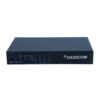
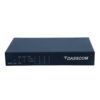
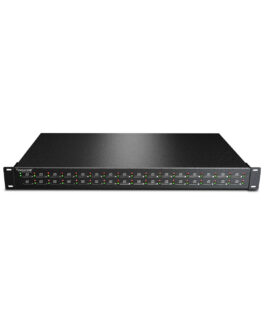
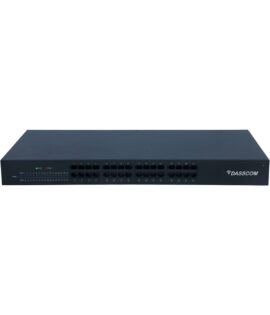
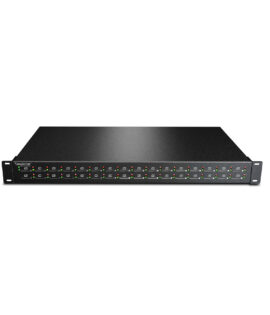
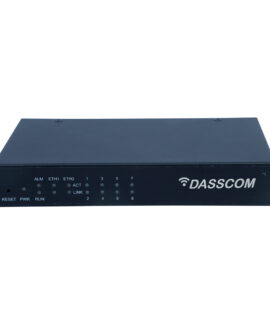
Dasscom DS series voice gateways are excellent quality and high-effective products that can connect a legacy telephone, FAX, POS and PBX system. DS series voice gateway provides flexible networking for large enterprises and SMEs. For easier installation & configuration, the DS series is compatible with IPPBX or switches of Avaya, Cisco, Huawei, Broadsoft, ZTE, etc
| Caller ID Display (CLI) CLI Restriction | Call Hold |
| 3-Party Conference Call Transfer | Call Waiting |
| Do Not Disturb (DND) Distinctive Ring | Pick Up |
| Firewall Traversal Standard SIP Protocol TR069/SNMP/Web System Logs | Login Logs |
| QoS | VLAN |
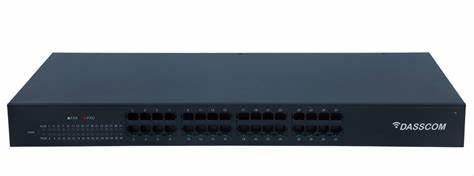
The DS Series datasheet (for FXS/FXO models) lists a “16 FXS” variant under the “DS 16FXS” model. dasscom.com+2dasscom.com+2
Telephony interface: 16 FXS ports (for analogue phones/faxes) — i.e., you plug in 16 analogue devices, and gateway to SIP/VoIP. hubrisindia.in+2dasscom.com+2
VoIP/SIP support:
SIP 2.0 (RFC 3261) and other relevant SIP/IMS standards. dasscom.com
Codecs: G.711 A/µ-law, G.729a/ab, G.723.1. dasscom.com
Fax support: T.38 & bypass mode. dasscom.com
DTMF modes: In-band, RFC 2833, SIP INFO. dasscom.com
Network interface: 1 × 10/100 Mbps WAN, 1 × 10/100 Mbps LAN (as per the series sheet) for the FXS models. dasscom.com
Physical & environmental:
Dimensions (for “16FXS” size): ~435 × 199 × 44 mm (LxWxH) for full size unit in series sheet. dasscom.com
Power supply: AC 85-265 V, 47-63 Hz for some models; typical consumption ~20 W for 16FXS. dasscom.com
Operating temperature: approximately -10 °C to 60 °C (per the datasheet) and humidity 10-95% non-condensing. dasscom.com
Telephony features: The series lists full analog telephone features: Caller ID display (CLI), Call transfer, Call waiting, DND, Hotline, distinct ring, pick up, three-party conference. dasscom.com
Analog device support: Phones, fax machines, POS machines supported (since FXS ports). The series sheet mentions “connect a legacy telephone, FAX, POS …”. dasscom.com
“FXS” means the port supplies line to analogue device (telephone set). If you need to connect analogue trunk lines (PSTN) instead, you may need an “FXO” variant. Ensure you have the correct type.
Concurrent call capacity: Although 16 ports, check how many simultaneous calls the gateway supports (some ports may be idle/fax only) — the sheet for “FXS Outbound Concurrent Call” shows e.g., 16 calls for the 16FXS model. dasscom.com
Compatibility with Indian telephony environment: FXS ports should support Indian line voltage and CLIP (Caller ID) formats. Confirm with Dasscom/distributor.
Support for fax machines: Ensure the model you get has robust T.38 or pass-through for faxes if needed.
Network and QoS: For best voice quality, ensure the LAN/WAN infrastructure is sized properly (QoS, low latency, jitter). The gateway supports jitter buffering, packet loss compensation. dasscom.com
Firmware & updates: Confirm the version, local distributor support, spare parts (if a port fails) and future firmware upgrades.
Rack/desktop mounting: Check space, ventilation (16 ports with analog may generate heat) and power availability.
| Weight | 1.2 kg |
|---|